Slackapp
slack app の作成
slack app 作成には権限が必要です。
full member 以上の権限が必要
アプリの認証が有効化されていると admin 以上の権限が必要
slack のアプリのメニューから workspace の設定に移動します。
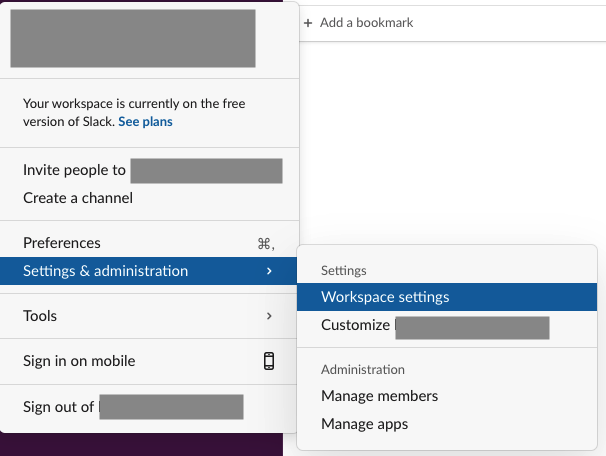
Configure appsをクリックしてapp directoryに移動し、右上のbuildをクリックしてさらにslack apiに移動します。
ブラウザ側でログイン済みであれば https://api.slack.com/apps/に直接移動します。
Create New App
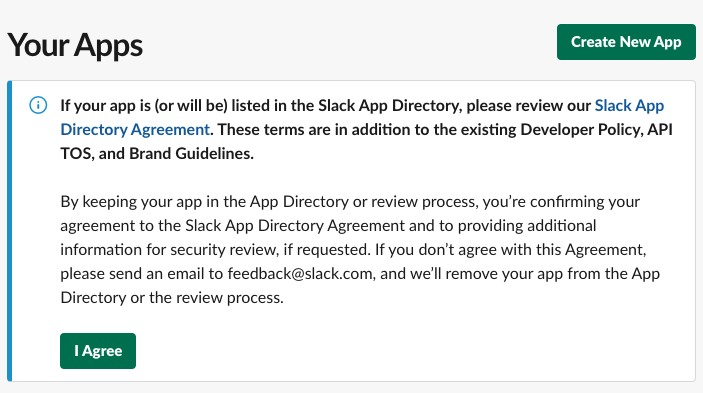
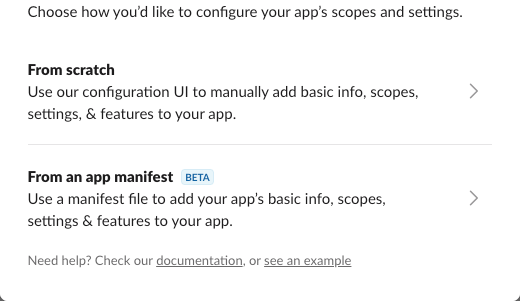
manifest から作成を選びます。
所属してる workspace を選び、manifest を以下の様に編集して next に進みます。
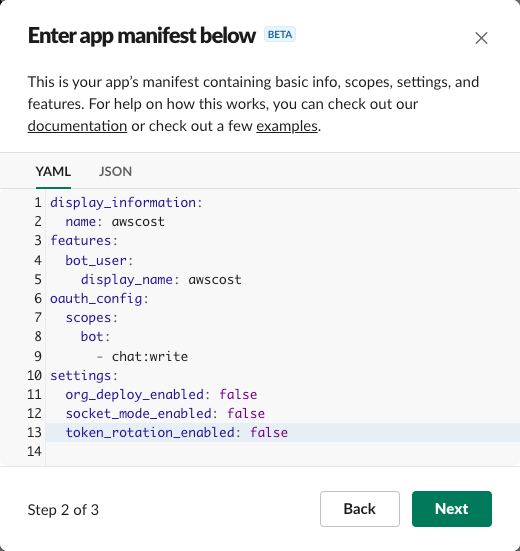
display_information:
  name: awscost
features:
  bot_user:
    display_name: awscost
oauth_config:
  scopes:
    bot:
      - chat:write
settings:
  org_deploy_enabled: false
  socket_mode_enabled: false
  token_rotation_enabled: false
確認画面から create を押して作成します。
slack app のインストール
slack app の設定画面から install your app のinstall to Workspaceのボタンを押して、表示されたモーダルからAllowをクリックします。
右のメニューからOAuth & Permissionsを選び、表示されているBot User OAuth Tokenをメモしておきます。
bot の場合はxoxb-から始まる token です。
user の場合はxoxp-から始まる token です。